Note: This feature is only available on RIM Submissions Vaults.
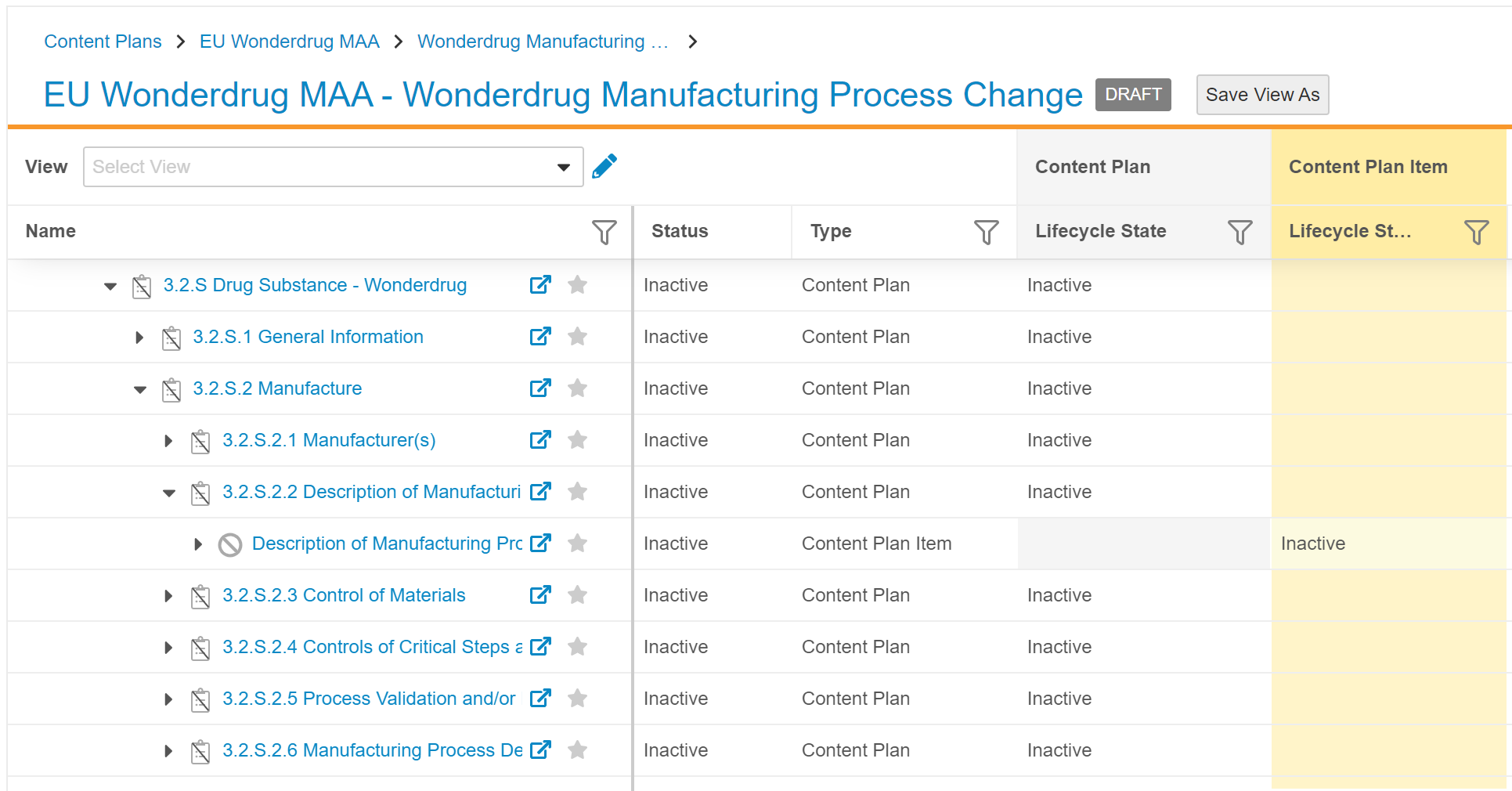
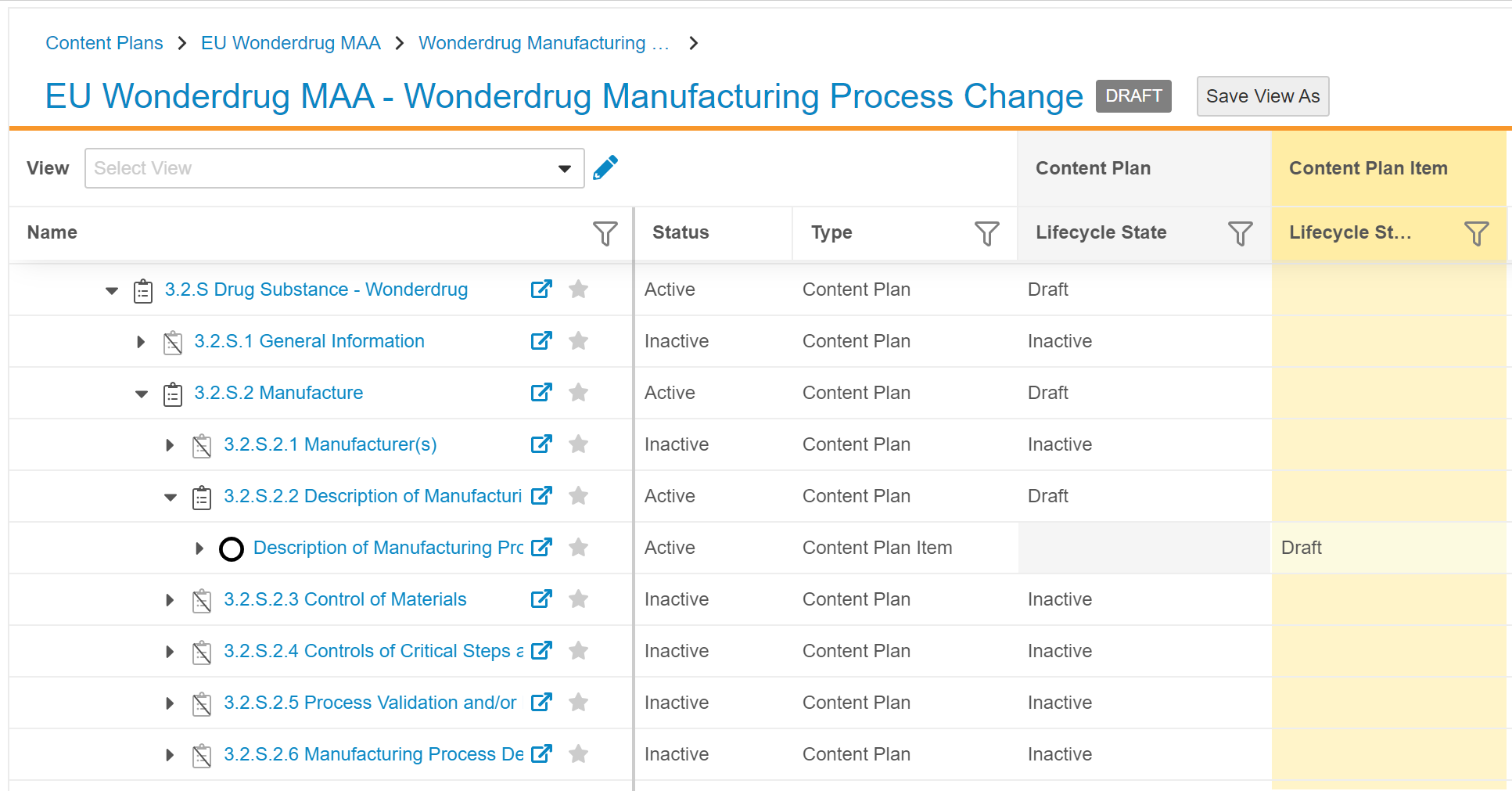
Teresa begins by activating the specific content plan sections that are useful to her submission at the lowest levels of the hierarchy. When she makes these sections active, Vault cascades the changes to the necessary parent sections, as well as each section's child records, so Teresa doesn't need to spend time removing or inactivating unnecessary sections in her content plan.
 ## Asynchronous State Changes to Child Records
Vault can also change the state of the current _Content Plan_ record and all of its descendant _Content Plan_ and _Content Plan Item_ records asynchronously, meaning the state change runs in the background without preventing you from continuing your work. Instead, Vault sends you a notification to let you know when the state change is complete. Vault can update up to 10,000 descendant records during an asynchronous state change.
### How to Change States
To start an asynchronous state change:
1. Navigate to the _Content Plan_ record.
2. Select the appropriate action from the **Actions** menu. Select the appropriate action from the **Actions** menu. The actions available to you depend on your Vault's configuration, however in Vaults following the [recommended configuration](/en/lr/60549/) for cascading state changes, there are actions to **Change State to Draft**, **Baselined**, **Locked**, and **Inactive**. These actions cannot be completed [in bulk][1].
3. Depending on your Vault's configuration, Vault notifies you that there are active publishing requests preventing the state change. You can monitor progress in the [_Publishing Status_ field](/en/lr/67459/) and re-execute the action once complete.
4. Vault displays a banner at the top of the page to let you know the action has been initiated. If another state change is in progress from the same _Content Plan_ record, the banner informs you. You won't see this banner if your Admin has configured asynchronous state change as part of a workflow.
5. Vault adds your state change to the queue. If other state changes are currently in progress in your Vault, a delay may occur before Vault processes your state change.
6. Vault performs the state change on the current _Content Plan_ record and all its descendant _Content Plan_ and _Content Plan Item_ records that are not already in the next state or in a lifecycle state excluded by your Admin. During the state change, Vault also evaluates any entry criteria and performs any entry actions defined on the next _Content Plan_ and _Content Plan Item_ lifecycle states.
7. When the state change completes, Vault sends you an email and notification containing details about the results. If the state change is successful, the notification includes a CSV file containing a list of records that Vault moved to the new state. If Vault cannot complete the state change, no records change state and the notification provides the reason for error.
### Use Case
Asynchronous content plan state changes are useful when all content within a module is ready for review or publishing, or when the entire content plan is ready to move to the next step. For example, Teresa, a Submission Manager at VeePharm, has completed the content plan structure and wants to move the entire content plan to the _Baselined_ state. Teresa starts the _Draft to Baselined_ workflow for the top level, or root, _Content Plan_ record in the hierarchy.
Vault then moves the root _Content Plan_ record and all of its descendant records from the _Draft_ state to the _Baselined_ state, except for any _Inactive_ child records. Instead of remaining on the _Content Plan_ object record detail page while Vault processes the state change, Teresa can navigate away from the page to perform other tasks within Vault in the same browser tab. She receives a notification when the state change completes. Once the content plan is in the _Baselined_ state, Vault can begin automatically matching documents to _Content Plan Items_, and Teresa's team can finalize the submission documents.
## About Bulk Object Record Actions {#bulk-record-actions}
Vault uses the *Content Plan Hierarchy State Change* action to cascade state changes from a *Content Plan* record to all of its descendant *Content Plan* and *Content Plan Item* records. This action is asynchronous, meaning it runs in the background without preventing users from continuing their work. However, this means that the action cannot be executed in bulk from the **Perform Bulk Action** menu. This [Vault Platform feature](/en/lr/33725/) does not support this and other asynchronous RIM actions.
Instead, users should instead run the applicable action at the highest level, then allow Vault to cascade the state change to all of its descendants.
[1]: #bulk-record-actions
## Asynchronous State Changes to Child Records
Vault can also change the state of the current _Content Plan_ record and all of its descendant _Content Plan_ and _Content Plan Item_ records asynchronously, meaning the state change runs in the background without preventing you from continuing your work. Instead, Vault sends you a notification to let you know when the state change is complete. Vault can update up to 10,000 descendant records during an asynchronous state change.
### How to Change States
To start an asynchronous state change:
1. Navigate to the _Content Plan_ record.
2. Select the appropriate action from the **Actions** menu. Select the appropriate action from the **Actions** menu. The actions available to you depend on your Vault's configuration, however in Vaults following the [recommended configuration](/en/lr/60549/) for cascading state changes, there are actions to **Change State to Draft**, **Baselined**, **Locked**, and **Inactive**. These actions cannot be completed [in bulk][1].
3. Depending on your Vault's configuration, Vault notifies you that there are active publishing requests preventing the state change. You can monitor progress in the [_Publishing Status_ field](/en/lr/67459/) and re-execute the action once complete.
4. Vault displays a banner at the top of the page to let you know the action has been initiated. If another state change is in progress from the same _Content Plan_ record, the banner informs you. You won't see this banner if your Admin has configured asynchronous state change as part of a workflow.
5. Vault adds your state change to the queue. If other state changes are currently in progress in your Vault, a delay may occur before Vault processes your state change.
6. Vault performs the state change on the current _Content Plan_ record and all its descendant _Content Plan_ and _Content Plan Item_ records that are not already in the next state or in a lifecycle state excluded by your Admin. During the state change, Vault also evaluates any entry criteria and performs any entry actions defined on the next _Content Plan_ and _Content Plan Item_ lifecycle states.
7. When the state change completes, Vault sends you an email and notification containing details about the results. If the state change is successful, the notification includes a CSV file containing a list of records that Vault moved to the new state. If Vault cannot complete the state change, no records change state and the notification provides the reason for error.
### Use Case
Asynchronous content plan state changes are useful when all content within a module is ready for review or publishing, or when the entire content plan is ready to move to the next step. For example, Teresa, a Submission Manager at VeePharm, has completed the content plan structure and wants to move the entire content plan to the _Baselined_ state. Teresa starts the _Draft to Baselined_ workflow for the top level, or root, _Content Plan_ record in the hierarchy.
Vault then moves the root _Content Plan_ record and all of its descendant records from the _Draft_ state to the _Baselined_ state, except for any _Inactive_ child records. Instead of remaining on the _Content Plan_ object record detail page while Vault processes the state change, Teresa can navigate away from the page to perform other tasks within Vault in the same browser tab. She receives a notification when the state change completes. Once the content plan is in the _Baselined_ state, Vault can begin automatically matching documents to _Content Plan Items_, and Teresa's team can finalize the submission documents.
## About Bulk Object Record Actions {#bulk-record-actions}
Vault uses the *Content Plan Hierarchy State Change* action to cascade state changes from a *Content Plan* record to all of its descendant *Content Plan* and *Content Plan Item* records. This action is asynchronous, meaning it runs in the background without preventing users from continuing their work. However, this means that the action cannot be executed in bulk from the **Perform Bulk Action** menu. This [Vault Platform feature](/en/lr/33725/) does not support this and other asynchronous RIM actions.
Instead, users should instead run the applicable action at the highest level, then allow Vault to cascade the state change to all of its descendants.
[1]: #bulk-record-actions