Use the Content Plan Readiness Assistant in Vault AI to review the readiness of a Global Content Plan (GCP) for dispatch to local submission content plans. The assistant summarizes readiness issues, explains how to resolve them, and lets you ask follow-up questions about specific issues.
The readiness checks are performed by the deterministic Content Plan Readiness Assessment framework. Vault AI retrieves and summarizes the results; the AI does not determine readiness itself. When you request a new readiness check in the Vault AI chat, a new readiness assessment job is triggered. Content Plan readiness results are available only through the Vault AI chat.
Note: This feature must be configured by a Vault Admin.
Reviewing Content Plan Readiness
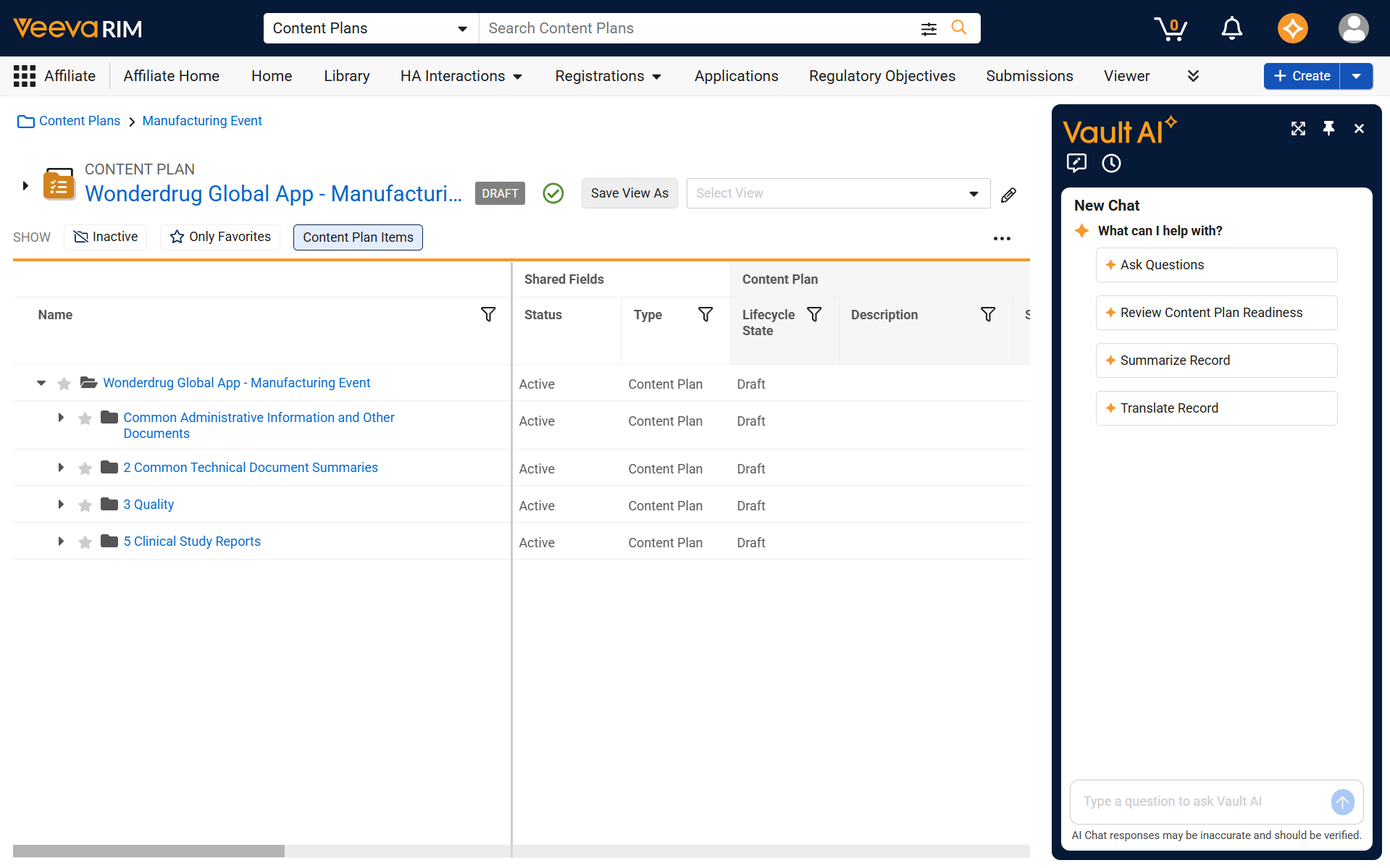
You can review the readiness of a GCP from the Vault AI chat launched from the Content Plan viewer or record page.
- Open the Global Content Plan that you want to review.
- Open the Vault AI chat.
-
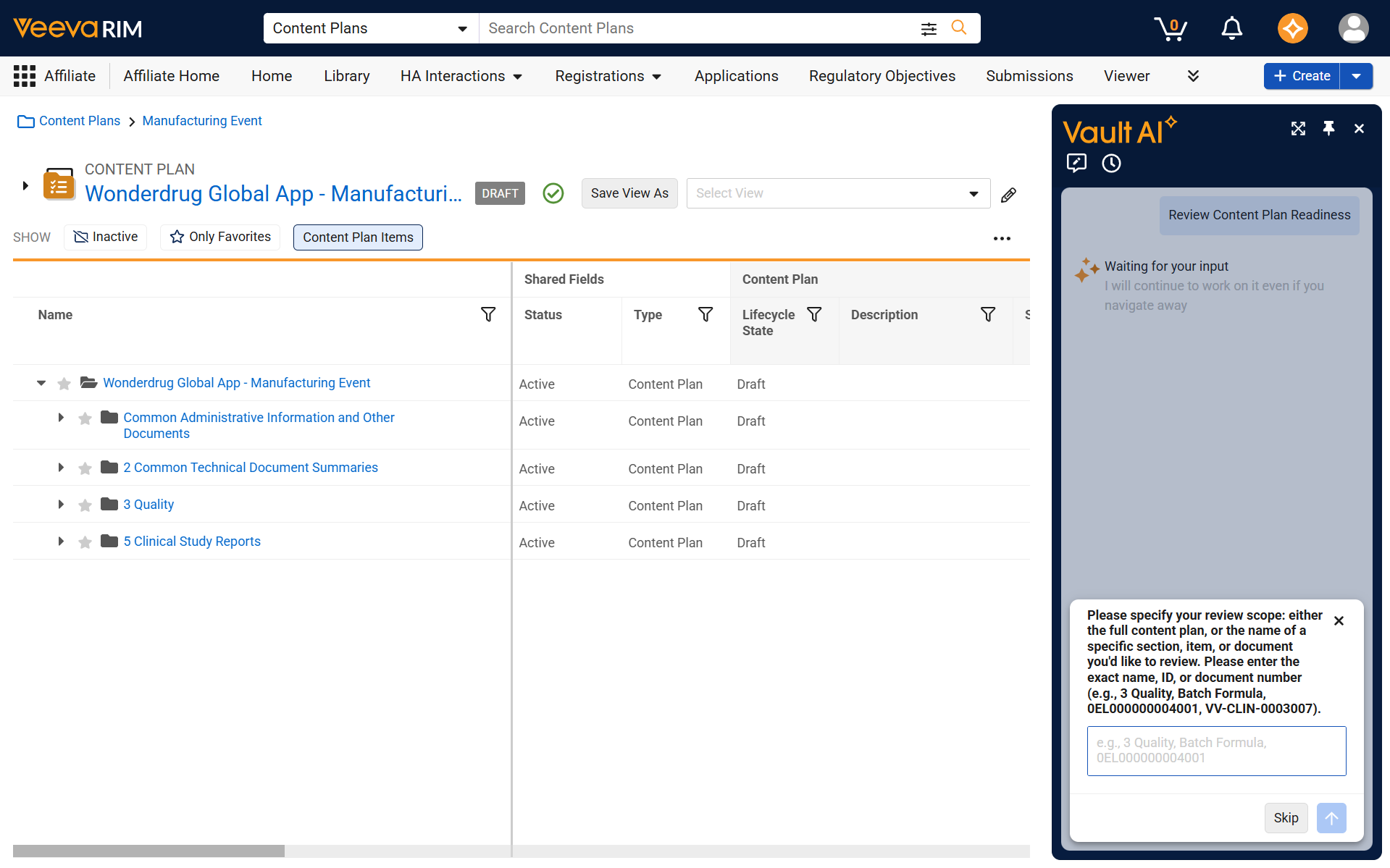
- Select Review Content Plan Readiness, or enter your request directly in the Vault AI chat. For example, enter “Give me a readiness summary for the full content plan”.
- Enter the scope that you want to review. This could be the full content plan, a specific section, item, or matched document.
-
- Review the readiness summary for the GCP.
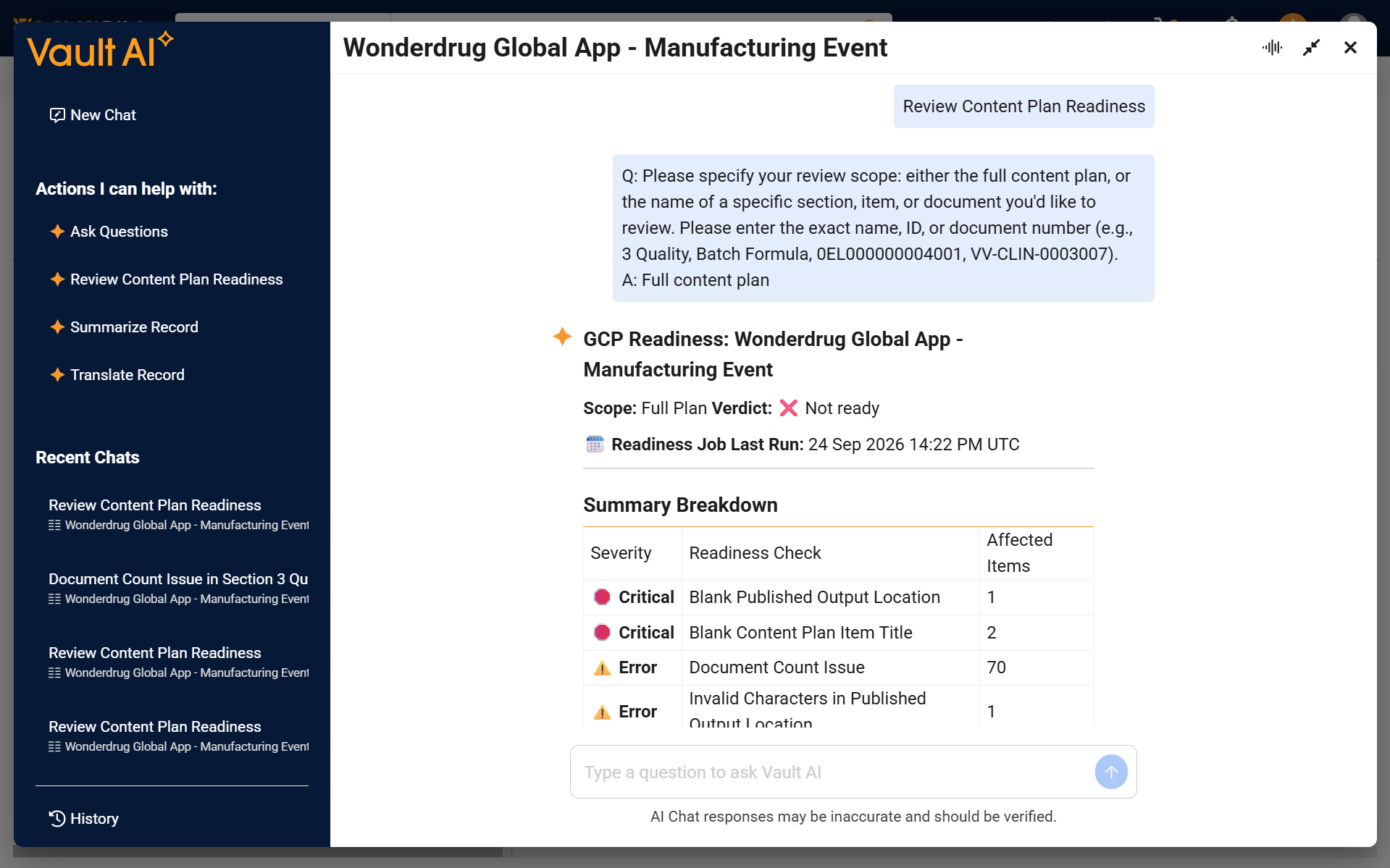
The readiness summary includes the readiness scope requested, verdict, the time of the last readiness check, summary breakdown, and summary details. The summary breakdown displays a table of all affected checks along with severity and a count of impacted items for each check.
The readiness verdict can be:
- Ready: No readiness findings were identified.
- Review recommended: One or more Warning findings were identified, but no Critical or Error findings were identified.
- Not ready: One or more Critical or Error findings were identified.
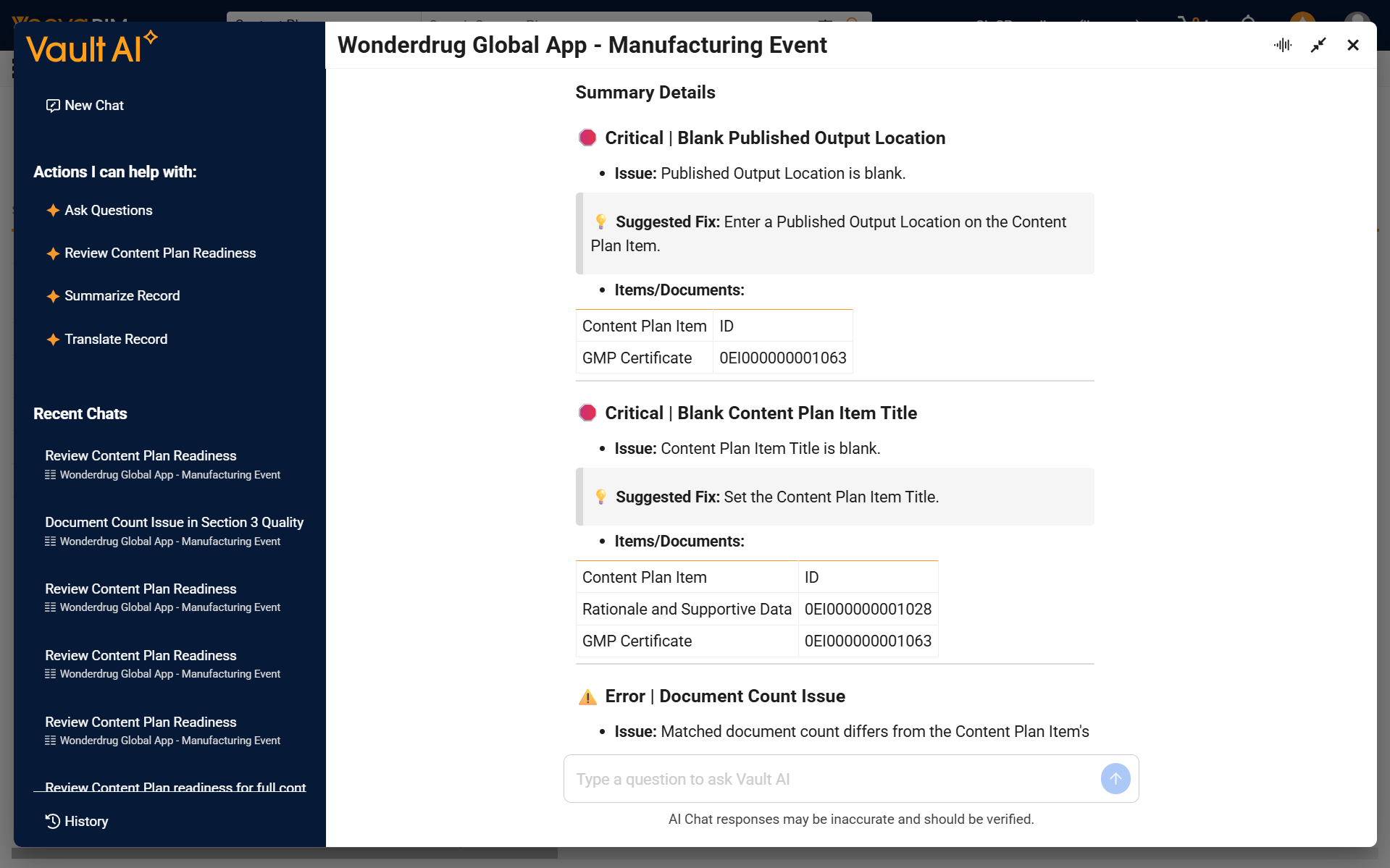
The summary details lists out the first five impacted checks in greater detail, providing a high level description, suggested fix, and a list of the first five impacted items for that check. If a check has more than five impacted items, the remaining items are represented by a count. You can ask a follow-up question to get more details about the full list of impacted items.
Asking About Readiness Issues
After reviewing the readiness summary, you can ask the Content Plan Readiness Assistant for more information about a readiness issue.
You can ask about specific:
- Readiness checks
- Content Plan sections
- Content Plan Items
- Matched documents
The assistant provides additional details about the issues you are asking about, including why it was identified and the suggested fix.
For example, you can ask the assistant:
- What are all of the items impacted by the Document Count Issue in 3 Quality?
- Why does the Nomenclature Content Plan Item have an Invalid Characters in Published Output Location finding?
- How do I resolve the Matched Document Version Not Locked issue?
- Give me more details about all of the readiness issues for document VV-REGQUAL-000001
Running Readiness Checks
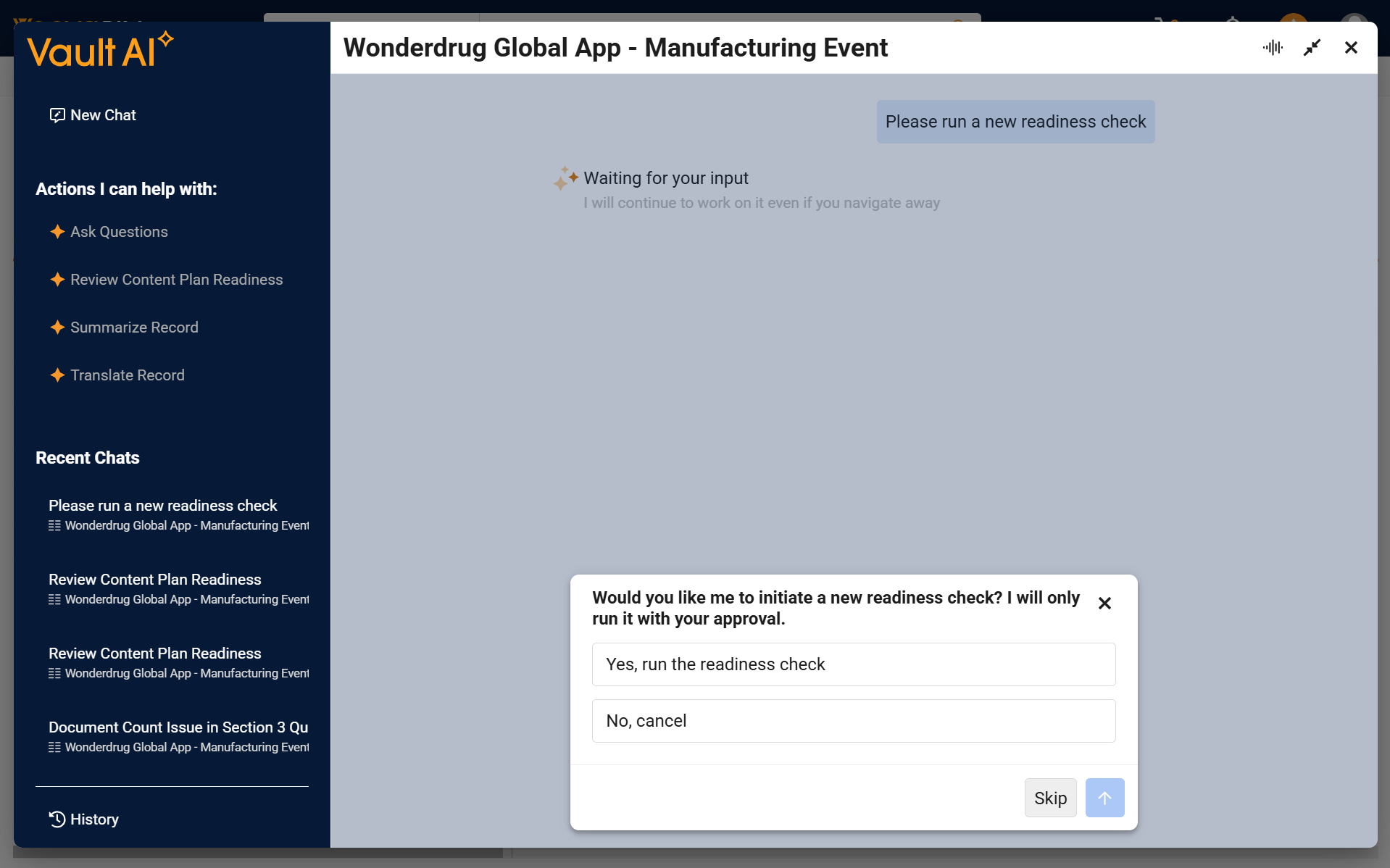
The Content Plan Readiness Assessment framework runs readiness checks for applicable GCPs as daily background jobs. You can also request an on-demand readiness check from the Vault AI chat when the existing results have not yet been generated or are no longer current.
- Open the Vault AI chat for the Event or Global Content Plan.
- Ask the Content Plan Readiness Assistant to run or re-run the readiness check.
- Confirm acceptance in the user prompt.
-
- Wait for the readiness job to complete. You will receive a notification upon completion of the on-demand readiness job.
- Return to the Vault AI chat and ask the assistant to review the updated readiness results.
Understanding Readiness Checks
The readiness assessment checks Content Plan and Content Plan Item data and matched documents for issues that can affect downstream dispatch and publishing. The readiness summary only includes checks that identify findings.
The Content Plan Readiness Assistant supports the following checks:
| Check | Description |
|---|---|
| Document Count Issue | Matched document count differs from the item’s expected count. |
| Blank Published Output Location | Published Output Location is blank. |
| Blank Content Plan Item Title | Content Plan Item Title is blank. |
| Invalid Characters in Published Output Location | A stored, token-free file or folder segment contains a character that cannot be published. The invalid characters are: \ % ^ & * # [ ] { } “ ? < > ~ ; = @ ‘ | , and space. |
| Empty Document Set | Document Set is blank when Enforce Document Set Assignment is enabled. |
| Matched Document Version Not Locked | A matched document is not locked to its intended steady-state version. |
| Matched Document Outdated | The matched document is not the latest version. |
| Approved but Not Ready for Publishing | An approved or final matched document has Ready for Publishing set to No. |
| Archived Document | A matched document is archived using the Vault platform archival feature. |
Understanding Finding Severity
Readiness findings are categorized by severity:
- Critical: These are issues that will completely block publishing downstream.
- Error: These are issues that should be fixed and have the potential to cause issues with publishing downstream.
- Warning: These are flagged for attention but may or may not require action. For example, a Matched Document Outdated finding can identify that the document version matched to the Content Plan is not the latest steady-state version. Determine whether the matched version is intentional before making a change.
The readiness summary prioritizes Critical findings, followed by Error, then Warning findings.
Limitations
- The Content Plan Readiness Assistant summarizes readiness results and provides information about identified issues. It does not perform corrections or execute dispatch or publishing actions.
- The readiness results are based on the records and documents that you have permission to view. Findings for records or documents that you cannot view are not surfaced in the readiness details.
- The Content Plan Readiness Assistant is available to customers with an active Vault AI entitlement. Your Vault administrator must activate the standard agent and configured the required permissions for the readiness functionality.
- When asking follow-up questions to get details about specific issues, only the first 100 issues for the requested scope are returned. If more than 100 issues match the request, use a more specific scope to view additional results.
- A request can include up to ten independent scopes. There is also a limit of 1,000 ID values that can be queried in a scope. When a limit is reached, the assistant informs the user that the limit was reached and returns the results it was able to retrieve. To view additional results, use a more specific scope.
- The Content Plan Readiness Assistant is not available for Report Level Content Plans (RLCPs) or Submission Content Plans (SCPs). It is also not available for Content Plans that do not have a submission referenced or whose referenced submission does not have the Event field populated. The Content Plan must use the productized Global Content Plan rather than a customized Submission Content Plan.
- The Content Plan Readiness Assistant can only be used for Global Content Plans with non-completed Events. If the Event Complete Date is populated on the Global Content Plan’s Event, the assistant ends early and does not return results.